Navigation


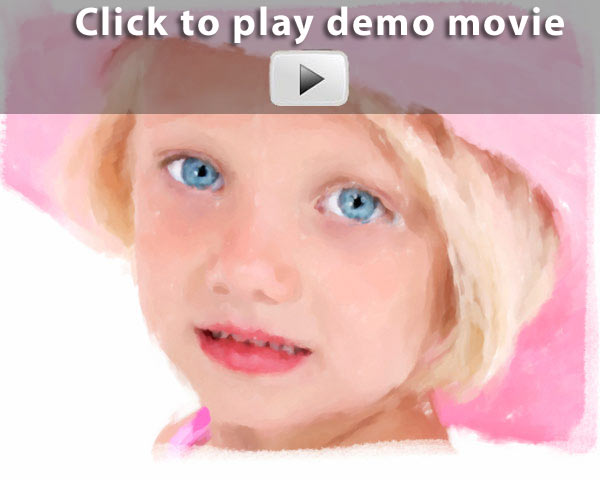
See before and after images
in your Flash gallery below


Click for pricing

Your Creative Photoshop 'actions'
Instant painted, drawn and other Photo art

Click thumbnails for larger photo


Abstract

Watercolor

Stippled

Pencil

Stylize

Color_art_soft

Metal


Below is what you receive


Movie Tutorials
Tutorial movies
run 2-5 minutes


Photoshop Creative 'actions'

Loading our custom art history
brushes into Photoshop

Loading 'actions' into Photoshop

Loading our custom texture into Photoshop

How to apply our custom art borders

Experimenting with the different
art histroy brush styles

Painting with the art history brush
Quick-start part 1

Painting with the art history brush
Quick-start part 2

Painting with the art history brush
step-by-step. 6 movies

Creating the ink painting part 1

Creating the ink painting part 2

Creating the ink painting part 3

Creating the charcoal painting part 1

Creating the charcoal painting part 2


Abstract

Stylize

Pencil sketch

Photocopy

Watercolor

Paint bold

Stippled

Sprayed

Color art

Color art soft

Metal imprint

Border set-up

Custom Art History Brushes
Art/Sloppy Borders


Abstract

Acrylic

Crazypaint

Detail brush

Heavy paint

Modern art

Paint blend

Paint slap

Picasso

Soft textured

Spatter

Thick texture

Watercolor


Art

Brushed 1

Brushed 2

Brushed 3

Distressed 1

Distressed 2

Distressed 3

Wild brush

Ripped

Extreme

Smudged


Group Buy Discount

Do you represent a group of at least 10 photographers?
Get additional discount on top of the sale price. Discounts
depend on how many people commit to purchase
all 8-sets of Photoshop 'actions' & movies.

Contact Gavin Phillips.
gavin@photoeffects.biz
USA
312-569-0958
England
07738-284-330


Return Policy & software compatibility
Mac & PC Compatible


We will exchange any faulty CD with another CD.
Due to the nature of software& training movies,
ALL sales are final.

Software compatibility

This set of Photoshop 'actions' & brushes is compatible with
Adobe Photoshop CS2, CS3, CS4, CS5 & onwards.

It does not work with Adobe Photoshop
Elements or other software.

Support

Pease e-mail or call us if you need any
other information.
Thank you.
Gavin Phillips
gavin@photoeffects.biz
312-569-0958

Click for pricing


Your FREE creative Photoshop 'actions'